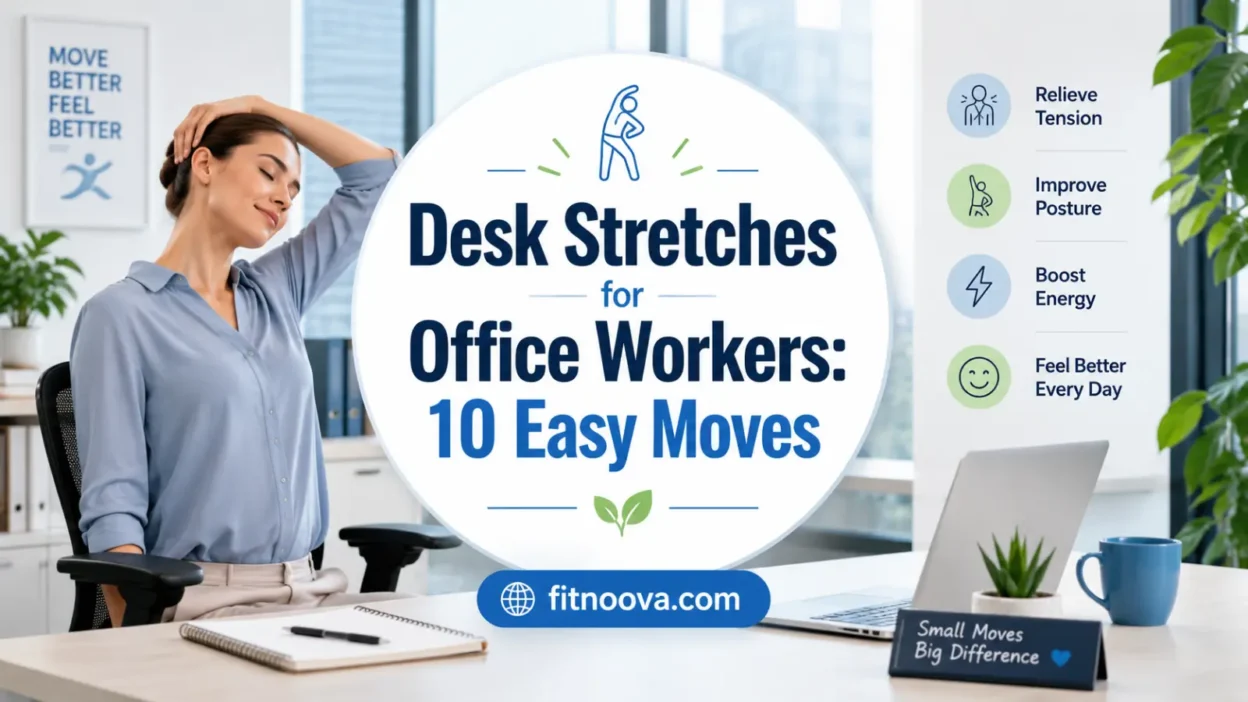
Sitting at a computer for hours can leave your neck tight, shoulders rounded, hips stiff, and lower back irritated. Desk stretches for office workers are simple movements you can do beside your chair to break up long sitting periods, ease stiffness, and help your body feel less locked into one position.
You do not need a mat, gym clothes, or a long break. A few short stretch sessions during the day can make desk work feel better, especially when paired with regular standing, walking, and a workstation setup that supports your posture.
Quick Answer
The best desk stretches for office workers target the neck, shoulders, chest, upper back, wrists, hips, hamstrings, and calves. Hold most stretches for 10 to 30 seconds, breathe normally, and stop if you feel pain, tingling, numbness, or sharp discomfort. For best results, use stretches as short movement breaks throughout the day rather than saving all movement for after work.
Why Desk Stretches Matter
Desk work often keeps the body in a small range of motion: head forward, shoulders slightly rounded, elbows bent, wrists busy, hips flexed, and feet planted. Even if your posture is decent, staying still for too long can contribute to muscle tension and strain.
Mayo Clinic notes that long periods at a desk can place stress on muscles in the neck, shoulders, and upper back, while short fitness breaks and workplace stretches may help prevent or ease stiffness and soreness.
The goal is not to “fix” posture by forcing yourself to sit perfectly all day. The better goal is to change positions often. Your body usually feels better when it gets regular variety: sitting, standing, walking, reaching, rotating, and gently stretching.
How Often Should Office Workers Stretch?
A practical starting point is to stretch for 3 to 5 minutes once or twice during the workday, then add shorter 30-second movement breaks when you feel stiff.
The Canadian Centre for Occupational Health and Safety recommends a 5- to 10-minute break for every hour spent at a workstation when possible, ideally with standing, walking, or at least a change in body position. It also advises holding stretches for a reasonable time, breathing normally, avoiding bouncing, and stopping if pain or severe discomfort appears.
A simple rhythm works well:
- Every 30 to 60 minutes, stand up or change position.
- Once in the morning and once in the afternoon, do a short stretch routine.
- During long calls, choose one standing stretch or shoulder reset.
- After intense typing, give your wrists, hands, neck, and shoulders a break.
You do not need to stretch aggressively. Consistency matters more than intensity.
A 5-Minute Desk Stretch Routine For Office Workers
Use this routine as a quick office mobility break. Move slowly, keep breathing, and stay within a comfortable range. If a stretch bothers your joints or causes symptoms down an arm or leg, skip it.
1. Neck Side Stretch
This helps release tension along the side of the neck and upper shoulder.
Sit or stand tall with your shoulders relaxed. Gently tilt your right ear toward your right shoulder until you feel a mild stretch on the left side of your neck. Keep both shoulders down instead of shrugging. Hold for 15 to 20 seconds, then switch sides.
Avoid pulling hard on your head. A light stretch is enough.
2. Chin Tuck
This is useful for people who tend to crane their head toward the screen.
Sit tall and look straight ahead. Gently draw your chin backward, as if making a small double chin. Keep your eyes level and avoid looking down. Hold for 3 to 5 seconds, then relax.
Do 5 to 8 slow reps.
You should feel the back of your neck lengthen, not jam.
3. Shoulder Rolls
Shoulder rolls are quick, simple, and helpful after long typing sessions.
Lift your shoulders gently toward your ears, roll them back, then let them drop down. Make the movement slow and smooth. Do 5 rolls backward, then 5 forward.
Keep your jaw relaxed while you move. Many people tighten the jaw without noticing when they concentrate.
4. Chest Opener
This stretch counters the rounded position many people fall into while typing or using a laptop.
Stand or sit near the front of your chair. Bring your hands behind your back and gently clasp them, or hold the sides of your chair if clasping is uncomfortable. Lift your chest slightly and draw your shoulders back and down.
Hold for 15 to 30 seconds.
Do not force your ribs forward or arch your lower back. Think “open the chest” rather than “bend backward.”
5. Seated Upper-Back Rotation
This stretch adds rotation through the upper back, which often gets stiff during desk work.
Sit tall with both feet flat on the floor. Cross your arms over your chest or place one hand gently on the opposite thigh. Rotate your upper body to the right while keeping your hips mostly still. Pause for 2 to 3 breaths, then rotate to the left.
Do 3 to 5 slow turns each side.
Move from the ribs and upper back, not by yanking with your arms.
6. Wrist And Forearm Stretch
This is helpful for people who type, use a mouse, or work on a laptop for long stretches.
Extend one arm in front of you with your palm facing down. With your other hand, gently guide your fingers downward until you feel a stretch across the top of the forearm. Hold for 10 to 20 seconds.
Then turn the palm up and gently draw the fingers back to stretch the underside of the forearm. Switch sides.
Keep the stretch mild. Your wrists should not feel pinched.
7. Seated Figure-Four Hip Stretch
This targets the outer hip and glute area, which can feel tight after prolonged sitting.
Sit near the front of your chair with both feet flat. Cross your right ankle over your left thigh, making a figure-four shape. Keep your right foot gently flexed. Sit tall, then hinge forward slightly from your hips until you feel a stretch in the right outer hip.
Hold for 20 to 30 seconds, then switch sides.
Skip this one if it bothers your knee or hip. You can also make it easier by staying more upright.
8. Standing Hip Flexor Stretch
Your hip flexors stay shortened when you sit for long periods, so this stretch can feel especially useful.
Stand beside your desk for balance. Step your right foot back into a short split stance. Keep both feet facing forward. Gently tuck your pelvis under and bend the front knee slightly until you feel a stretch at the front of the right hip.
Hold for 20 to 30 seconds, then switch sides.
Avoid leaning far backward. The stretch should come from the front of the hip, not the lower back.
9. Chair Hamstring Stretch
This stretch helps the back of the thigh and may feel good after long seated blocks.
Sit near the edge of your chair. Extend one leg forward with your heel on the floor and toes pointing up. Keep your back long and hinge forward slightly from your hips.
Hold for 20 to 30 seconds, then switch sides.
Do not round your back to reach farther. A small forward lean is enough.
10. Calf Raise And Ankle Reset
This adds gentle movement for the lower legs and ankles, especially if your feet stay still most of the day.
Stand behind your chair or near your desk for balance. Rise onto the balls of your feet, pause briefly, then lower slowly. Do 8 to 12 reps.
Then circle each ankle 5 times in each direction.
This is not a deep stretch, but it helps restore movement below the knee after sitting.
The Best Time To Do Desk Stretches
The best time is before stiffness builds too much. Waiting until your neck or back already feels irritated can make stretching less comfortable.
Try these natural windows:
- After finishing a focused work block
- Before or after a long meeting
- After lunch, before sitting back down
- When switching tasks
- When your shoulders start creeping toward your ears
- Before the final hour of the workday
Chelsea and Westminster Hospital NHS Foundation Trust advises regularly changing posture or task during computer work and suggests stopping keyboard and mouse work every 10 to 20 minutes, before pain increases, to stretch, drink water, correct posture, stand, move around, or do another non-computer task.
That does not mean you need a full routine every 10 minutes. It means your workday should include small changes before your body starts complaining.
How Hard Should A Desk Stretch Feel?
A desk stretch should feel gentle to moderate. You may feel pulling, warmth, or mild tension, but you should not feel sharp pain, burning, numbness, tingling, dizziness, or symptoms shooting down an arm or leg.
Use this simple scale:
- 1 to 2 out of 10: Too light, but fine for a quick reset.
- 3 to 5 out of 10: Good range for most desk stretches.
- 6 out of 10 or higher: Usually too intense for workday stretching.
- Pain, numbness, tingling, or weakness: Stop and reassess.
Do not bounce. Do not force end ranges. Do not use stretches to push through pain.
Desk Stretches Help, But They Do Not Replace Exercise
Desk stretches are useful, but they are only one part of staying healthy with a sedentary job. They can help you move more often and feel less stiff, but they do not replace walking, strength training, cardio, sleep, recovery, or a generally active lifestyle.
The Office of Disease Prevention and Health Promotion describes the Physical Activity Guidelines for Americans as a science-based resource for helping people improve health through regular physical activity. The American Heart Association also emphasizes moving more throughout the week and notes that walking, seated movement, gentle stretching, and other safe activities can help people interrupt sedentary routines.
A good weekly plan for an office worker might include:
- Desk stretches during the workday
- Short walks before work, after lunch, or after dinner
- Two or more days of strength training
- Light mobility work on rest days
- Regular breaks from long sitting blocks
Think of stretching as your workday maintenance, not your entire fitness plan.
Simple Posture Cues That Make Desk Stretches Work Better
You do not need perfect posture, but your desk setup should not fight against your body all day.
Use these quick checks:
- Keep your screen high enough that you are not constantly looking down.
- Relax your shoulders instead of holding them near your ears.
- Keep your elbows close to your body when typing.
- Let your wrists stay fairly neutral instead of sharply bent.
- Place both feet on the floor or on a footrest.
- Change position often instead of trying to freeze into one “correct” posture.
The NHS desk ergonomics guidance from Chelsea and Westminster recommends a setup with the head over the shoulders, shoulders relaxed, elbows relaxed, wrists neutral, knees slightly lower than the hips, and feet firmly planted on the floor.
The point is not to sit like a statue. The point is to make your default position less stressful and then move out of it regularly.
Common Mistakes To Avoid
Stretching Only When You Already Hurt
Desk stretches work best as prevention and maintenance. If you wait until your neck, back, or wrists are already irritated, you may be more likely to overstretch or move defensively.
Pulling Too Hard
More force does not make a stretch better. Gentle, repeatable movement is usually more useful during the workday than aggressive stretching.
Holding Your Breath
Breath-holding often increases tension. Breathe slowly and normally while you stretch.
Ignoring Your Chair And Screen Setup
Stretching helps, but a poor setup can keep recreating the same stiffness. If your laptop is too low, your chair is too high, or your mouse is too far away, your body may keep returning to strained positions.
Staying Still After Stretching
A stretch break should not end with another two hours of frozen sitting. Stand, walk, or change posture when you can.
Treating Pain Like Tightness
Tightness often improves with gentle movement. Pain, numbness, tingling, weakness, or radiating symptoms need more caution. Do not stretch harder into those signs.
When To Modify Or Seek Medical Guidance
Most office stiffness is mild and improves with movement breaks, better ergonomics, and consistent stretching. Still, some symptoms deserve attention.
Seek medical guidance if neck or back discomfort is severe, worsening, linked to a fall or injury, or accompanied by numbness, tingling, weakness, fever, unexplained weight loss, new bowel or bladder issues, or pain that travels down an arm or leg. Mayo Clinic advises medical care for neck pain with numbness, loss of strength, or pain shooting into the shoulder or arm, and for back pain that spreads down the legs or causes weakness, numbness, or tingling.
Also modify your routine if you are pregnant, recovering from surgery, managing a joint condition, or dealing with a recent injury. In those cases, simple movement may still help, but the best stretches may be more individual.
FAQs
What are the best desk stretches for office workers?
The best desk stretches for office workers usually target the neck, shoulders, chest, upper back, wrists, hips, hamstrings, and calves. A balanced routine includes both seated and standing movements so your body gets out of the same work posture.
How long should I hold each desk stretch?
Most desk stretches can be held for about 10 to 30 seconds. Shorter holds work well for wrists, shoulders, and quick resets, while hips and hamstrings often feel better with slightly longer holds. Stop sooner if the stretch becomes painful or causes numbness, tingling, or sharp discomfort.
Can desk stretches help with lower back stiffness?
They may help if your lower back feels stiff from sitting, especially when you include hip flexor, hamstring, glute, and upper-back mobility work. However, lower back pain can have many causes, so do not assume stretching is the right fix for every symptom.
Should I stretch at my desk every day?
Yes, gentle desk stretches can be done daily if they feel good and do not cause pain. For many office workers, short daily movement breaks are more realistic and helpful than one long stretch session at the end of the week.
Are standing desks better than desk stretches?
A standing desk can help you change position, but standing still for long periods can also become uncomfortable. The better approach is to alternate between sitting, standing, walking, and stretching throughout the day.
What should I do if stretching makes my pain worse?
Stop the stretch and avoid pushing through it. Try a smaller range of motion or a different movement later. If pain keeps worsening, travels down an arm or leg, or comes with numbness, tingling, or weakness, get medical guidance.
Conclusion
Desk stretches for office workers are a simple way to break up long sitting periods and reduce the stiffness that often builds in the neck, shoulders, back, wrists, hips, and legs. Keep the stretches gentle, move often, and treat them as part of a bigger workday habit: better positioning, regular breaks, walking when possible, and consistent strength and fitness work outside the office.